
Free-trial studies · StarPentaPlus
Large Volume
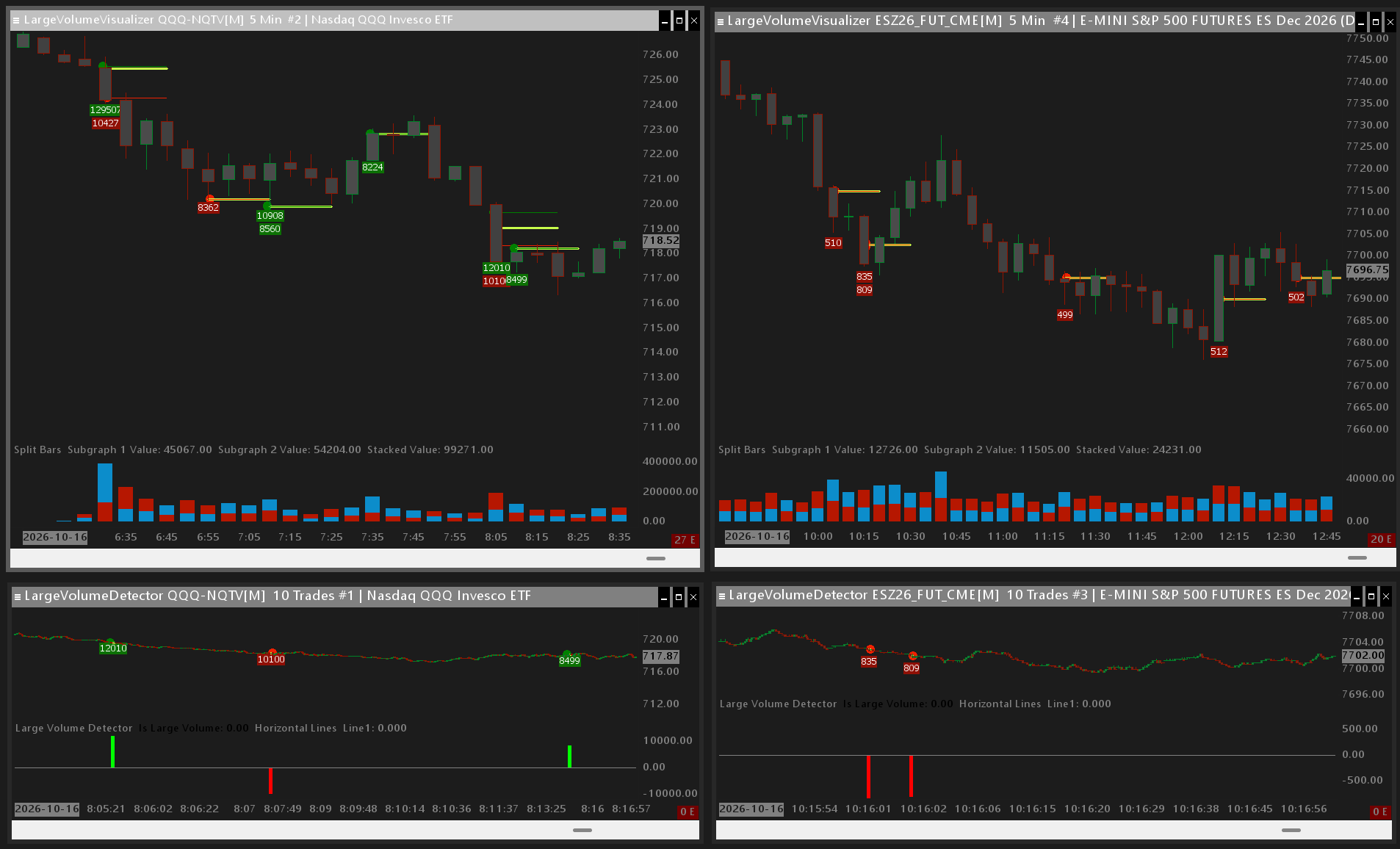
Two studies that work together: detect large prints on a short timeframe chart (for example a 10-trade chart), then visualize them on your working chart.
Overview
Part of StarPentaPlus. Add Large Volume Detector on a short timeframe chart (for example a 10-trade chart) so large prints are caught as bars form. Add Large Volume Visualizer on the chart you trade from and point it at that Detector — bubbles, labels, and VWAP-style detail come from the stored events.
Sierra Chart includes a built-in large-volume study. This pair is built as a lightweight aggregator: volume is judged per bar on the detection chart (no sliding windows or long lookbacks), then drawn on your working chart. Prints that span multiple detection bars can be missed; that trade-off keeps the studies simple and fast.
21-day free trial, then $49 once. Get StarPentaPlus
Help
Help for this study, and all StarPentaPlus studies, is also available from the F6 Studies dialog and the Description button on the Settings page for each study.
Large Volume Detector
| Input Name | Input Description |
|---|---|
| Volume Threshold | Minimum bar volume that counts as a large-volume event. Events are stored for Large Volume Visualizer. |
Large Volume Visualizer
| Input Name | Input Description |
|---|---|
| Large Volume Detector Study ID | Chart and study instance of Large Volume Detector. Visualizer reads that study's stored events. |
| Font | Typeface for volume labels. |
| Font Size | Point size for volume labels. |
| Buy Bubble Color | Fill color for ask/buy volume bubbles. |
| Sell Bubble Color | Fill color for bid/sell volume bubbles. |
| Buy Text Color | Text color for ask/buy volume labels. |
| Sell Text Color | Text color for bid/sell volume labels. |
| Buy Text Background Color | Background color for ask/buy volume labels. |
| Sell Text Background Color | Background color for bid/sell volume labels. |
| VWAPLine Color | Color of the total VWAP extension line. |
| Ellipse Size | Radius in pixels of each volume bubble. |
| Extension Bars | How many bars to the right the VWAP / max-volume lines extend. |
| Display Mode | Show All Large Volumes draws every event. Combine at VWAP merges ask and bid at their VWAPs. Combine at Largest Volume places bubbles at the largest ask and bid prices. |
| Show Total VWAP | When Yes, draw the combined ask+bid VWAP line. |
| Volume Stacking Mode | Where volume labels stack: below the bar, above the bar, sells above / buys below, or buys above / sells below. |
| Draw Horizontal | When Yes, volume labels are horizontal. When No, they are stacked vertically. |
| Padding | Extra pixels around each volume label. |
| Gap | Pixels between stacked volume labels. |
| Vertical Adjustment | Offset in ticks from the candle before labels stack. Positive expands away from the candle (above labels move up, below labels move down). Negative moves labels toward the candle. |